Public
Adding SSH Access on a Standard ITS Linux VM
Purpose
The below are directions for how to allow someone new to access an existing, standard, ITS-provisioned Linux server. All directions assume the person who is performing the operations has full sudo on the server.
Create User Account
# Replace xxxx with the person's URI username, in all lowercase, e.g. jsmith
sudo useradd xxxx
Install User's Public Key
# Replace xxxx with above username

# Create .ssh directory and set permissions
sudo mkdir -p /home/xxxx/.ssh
sudo chmod 700 /home/xxxx/.ssh

# Add the public key directly to authorized_keys
echo "<public ssh key goes here>" | sudo tee -a /home/xxxx/.ssh/authorized_keys

# Set proper ownership and permissions
sudo chown xxxx:xxxx /home/xxxx/.ssh/authorized_keys
sudo chmod 600 /home/xxxx/.ssh/authorized_keys
How To SSH to an ITS Server
Off-Campus Access Pre-Requisite
Most ITS servers require VPN if you are connecting from off-campus: https://notes.its.uri.edu/books/public/page/get-vpn
Using PuTTY (Windows)
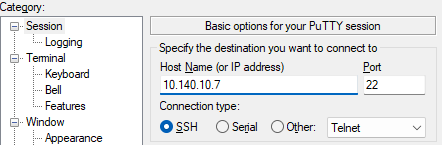
Set your connection options:
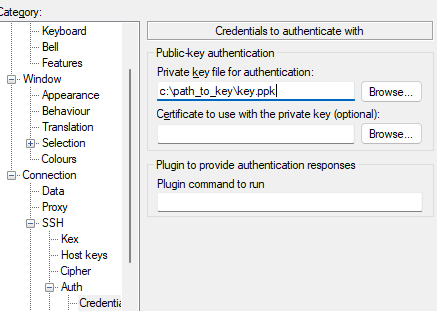
Then give it the path to your private key (connection --> ssh --> auth --> credentials):